


The Problem
Developer task management is fragmented. We bounce between Jira, Linear, Notion, and GitHub Issues—each context switch pulling us out of flow state. The tools designed to help us track work become the very things that interrupt it.
Worse, task data lives in proprietary formats locked inside SaaS platforms. You can't version control your backlog alongside your code. You can't grep through features to find related work. You can't write scripts to automate your workflow because your task data isn't yours.
Design Goals
I wanted to build task management that respects developer workflows rather than fighting against them. Three principles guided the design:
1. Editor-Native Experience
Live inside VSCode where developers already spend their time. No browser tabs, no separate apps—just a keyboard shortcut away from your code.
2. Markdown-First Storage
Features stored as human-readable markdown files in your repo. Version control your backlog. Grep through tasks. Edit them with any text editor. Your data stays yours.
3. Developer Workflow Integration
A five-column workflow (Backlog → To Do → In Progress → Review → Done) that maps naturally to how features move through development. Auto-generated IDs for easy reference in commits and PRs.
The Solution
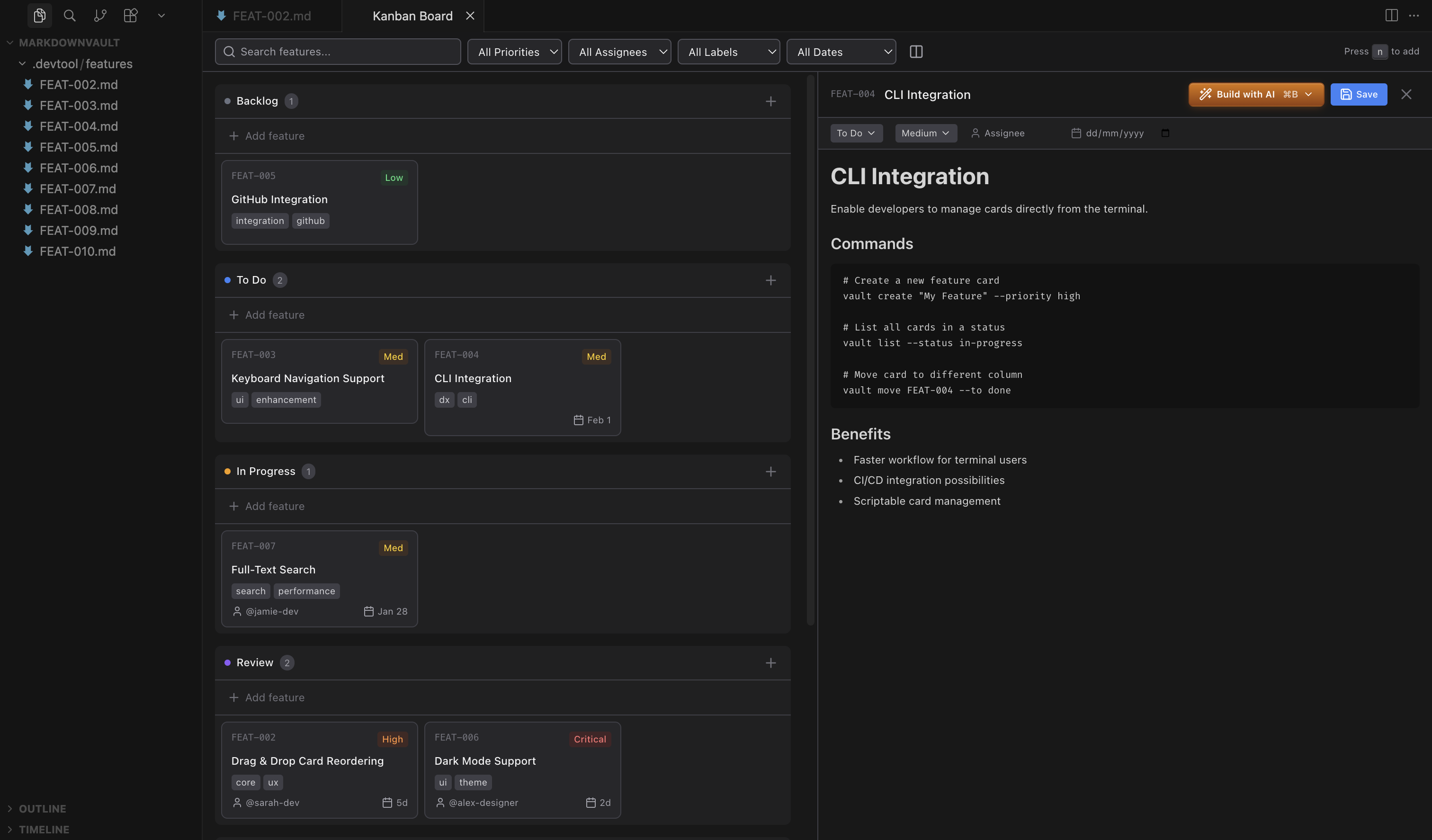
Kanban Markdown brings a full-featured kanban board directly into VSCode. Open the command palette, run "Open Kanban Board", and you're managing tasks without leaving your editor.
The magic is in the storage: every feature card is a markdown file in .devtool/features/. YAML frontmatter holds metadata—priority, assignee, due date, labels—while the body contains your feature description in full markdown. It's just text files, so they commit with your code and work with any tool that reads markdown.
Key Features
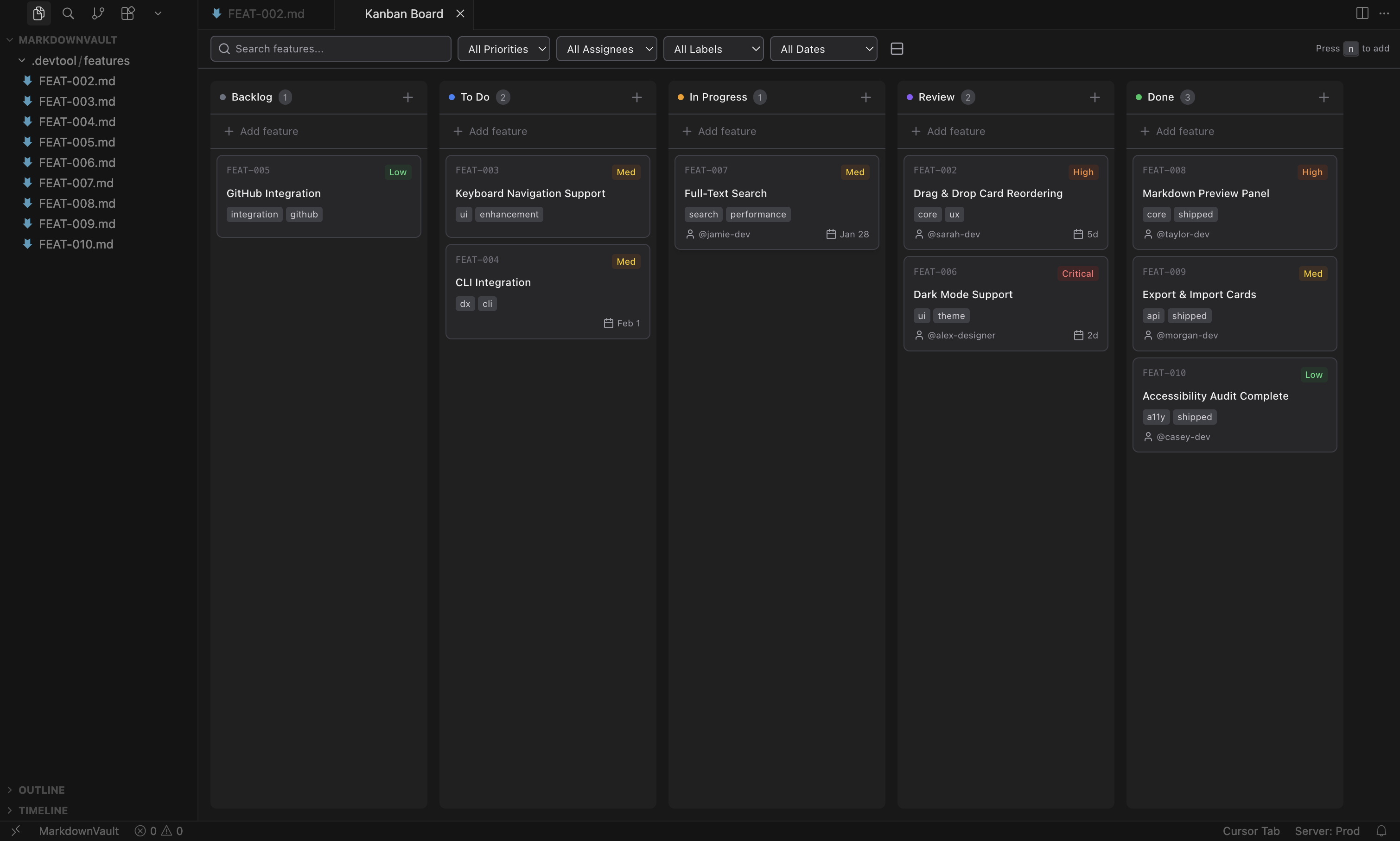
- Five-column workflow: Backlog, To Do, In Progress, Review, Done—drag cards between columns with visual feedback as they move through your pipeline.
- Rich card metadata: Color-coded priority levels (Critical, High, Medium, Low), team member assignment, smart date formatting with overdue indicators, and multi-label tagging.
- Auto-generated IDs: Every feature gets a unique identifier (FEAT-001, FEAT-002) for easy reference in commit messages, branch names, and PR descriptions.
- Powerful search and filtering: Filter by priority, assignee, label, or due date. Full-text search across content and metadata. Quick filters for overdue items and unassigned work.
- Split-view editor: Click any card to open a rich markdown editor alongside the board. Edit frontmatter inline. Changes sync automatically.
- Theme integration: Respects your VSCode theme—light or dark mode, your board matches your editor.
Implementation Notes
The extension uses a split architecture: the extension layer runs in Node.js with access to the VSCode API, while the kanban board UI runs in a webview—essentially an iframe with a React application. Communication happens through VSCode's message passing API.
State management uses Zustand for its simplicity and TypeScript support. The store handles board state, card selection, filter state, and editor synchronization. Actions dispatch messages to the extension layer, which handles file system operations and returns results.
The markdown editor uses Tiptap, which provides a ProseMirror-based rich text editing experience with excellent markdown serialization. Frontmatter editing happens through a custom UI that writes back to the YAML block—users never see raw YAML unless they want to.
File watching ensures external changes sync to the board. Edit a feature file in your normal editor, and the board updates. This was important for the "just markdown files" philosophy—the board is a view into your files, not a separate database.
Tech Stack
Extension
- TypeScript
- VSCode Extension API
- esbuild
Webview
- React 18
- Vite
- Tailwind CSS
State & UI
- Zustand
- Tiptap Editor
- Lucide Icons
Distribution
- VS Code Marketplace
- Open VSX Registry
- Manual VSIX Install